
Welcome to VastlyFUSION
Let’s get you set up and ready to go.
This page walks you through the essential steps to activate your account, engage your
community and start using your dashboard, marketplace, and tools.
Step 1: Activate Your Account
What to do:
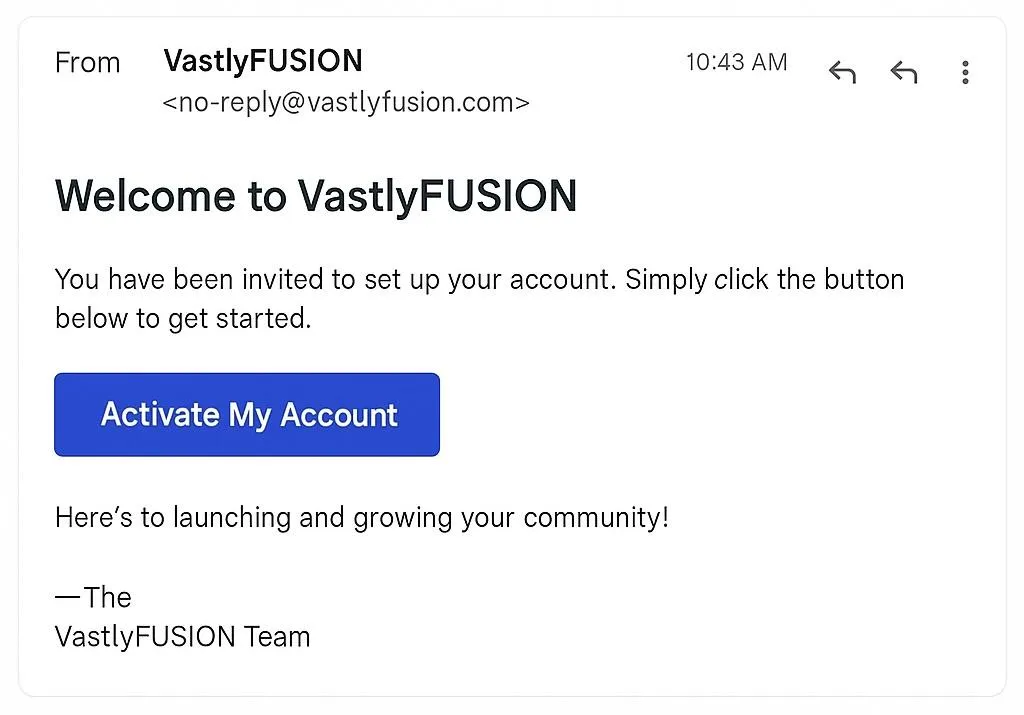
• Look for your welcome email from VastlyFUSION.
• Click “Activate My Account” and set your password.
• Complete your profile with your name, organization and role.
Step 2: Set Up Your Organization
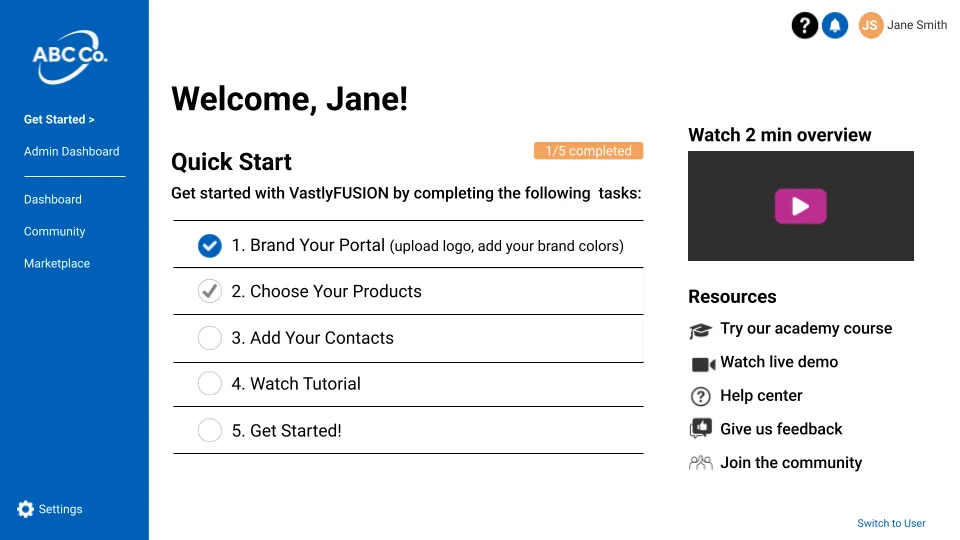
Go to: Get Started → Quick Start
• Upload your logo and customize your brand colors.
• Set your community name and short description.
• Choose default visibility and access settings.
Step 3: Configure Your Community
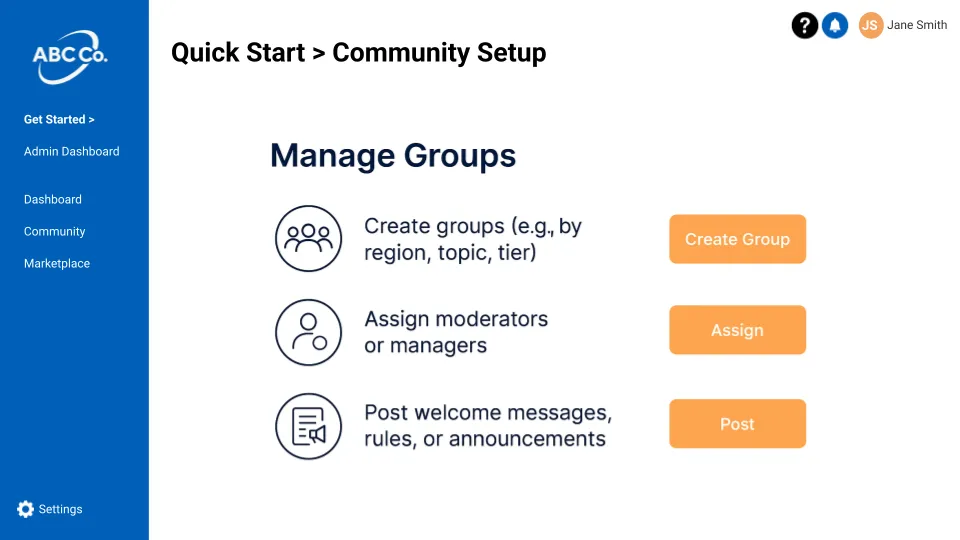
Go to: Get Started → Set Up Community
• Create groups (e.g., by region, topic, tier).
• Assign moderators or managers.
• Post welcome messages, rules, or announcements.
Step 4: Launch Your Marketplace
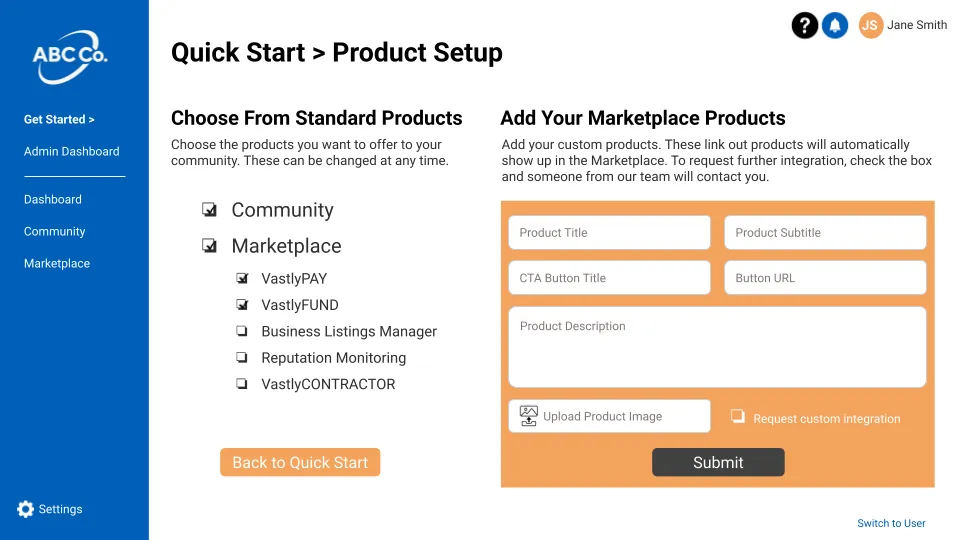
Go to: Get Started → Add Products
• Add products, services, or resources.
• Choose pricing, descriptions, and visuals.
• Enable payment tools like cards, ACH, or financing.
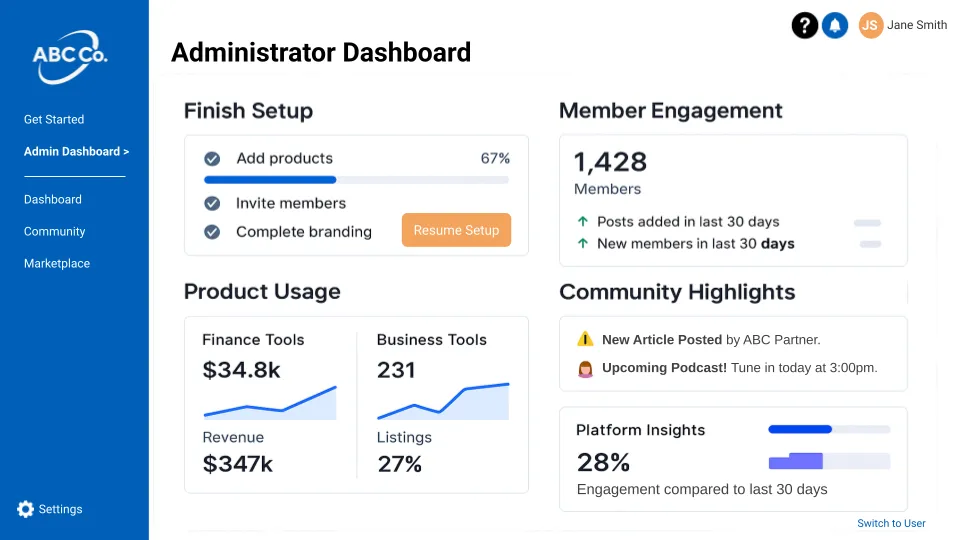
Step 5: Explore Your Dashboard
Your dashboard is your command center. From here you can:
• View engagement and activity metrics.
• Customize your view with drag-and-drop widgets.
• Track usage of marketplace, community, and finance tools.
CONTACT
FINANCE PRODUCTS
SAAS SOLUTIONS
CUSTOM SOLUTIONS
DISCOVER


© Copyright 2026. Vastly. All Rights Reserved.